
Inviting a family member
A parent or guardian can invite anyone by email.
- Open your family's page.
- Choose Invite family.
- Type their email address and choose the role you're inviting them as.
- Send it. They get an email with a link to join.
In the app: Tap Invite family on Home.
An invitation can be resent or canceled any time before it's accepted, and it expires after 14 days. Only a parent can invite someone as a parent. Joining is free, and nobody you invite ever needs a card to take part. For what the person you invited needs to do, see joining from an invitation.
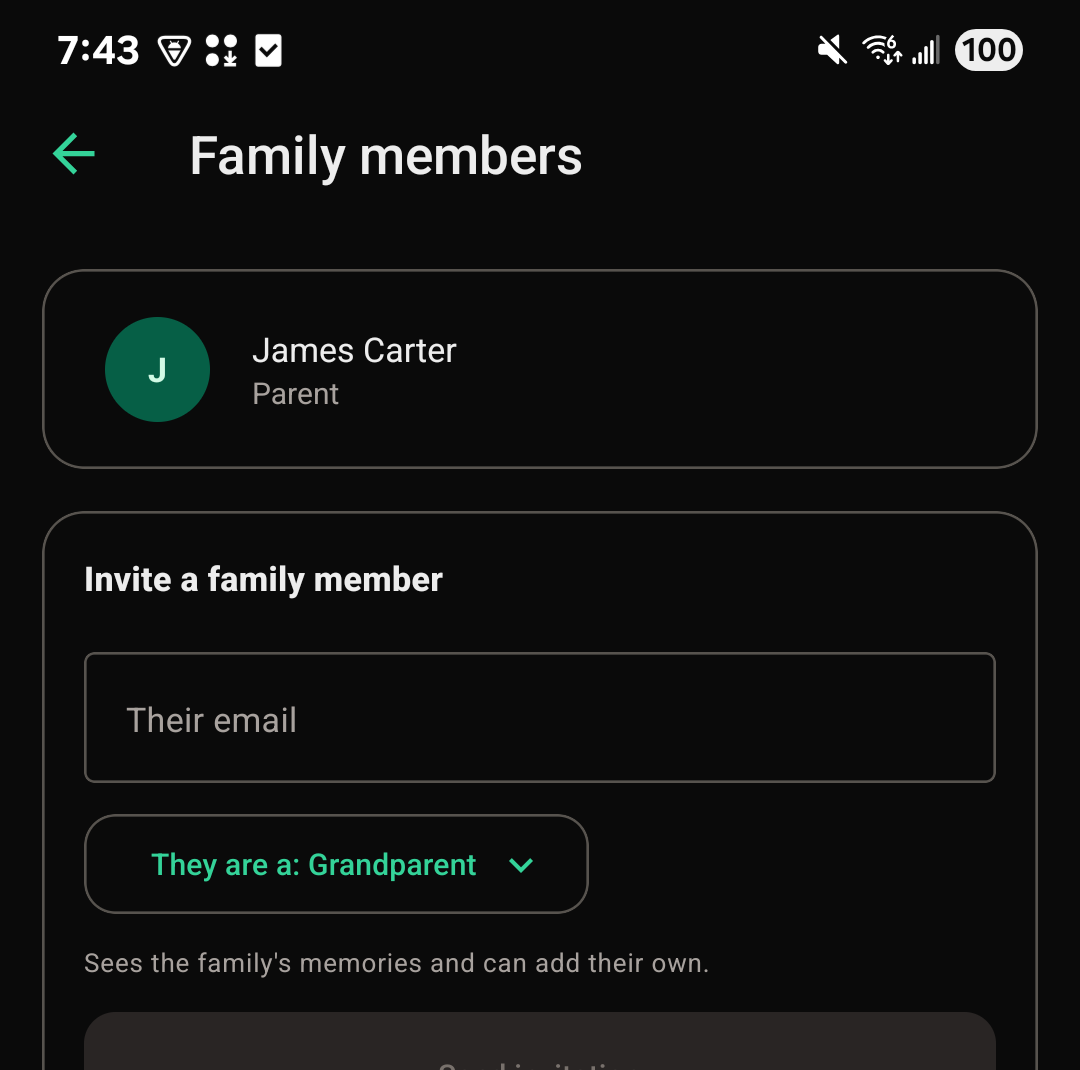
Family roles explained
You can invite someone as a:
- Grandparent
- Great-grandparent
- Parent
- Guardian
- Relative
- Aunt
- Uncle
- Cousin
- Supporter (a coach, mentor, or family friend)
Parents and guardians manage children's vaults and invite others. Only a parent can look after the family's plan. Every other role except supporter sees the same family space, without those management controls.
A few things can be marked Only parents and guardians, like report cards in a child's School section. Those stay hidden from every other role.
The supporter role
A supporter sees only the memories your family chooses to share with them, and can't add memories themselves. It's meant for someone close to the family, like a coach or a family friend, who shouldn't see everything a relative would. Supporters don't see the Legacy archive.
To share a memory with supporters, a parent or guardian checks Visible to supporters on that memory in the child's vault.
Leaving or removing someone from a family
To leave a family yourself:
- Open My families from your account menu.
- Choose Leave this family on that family, and confirm.
The only parent in a family can't leave, because a family always needs a parent. Invite another parent first if you'd like to step away.
A parent can also remove another member: open the family's page, find them under Family members, and choose Remove from the family.
Either way, nothing the person added is deleted. It stays in the family's vaults and archive, and they can no longer see it. A parent can invite them back any time. If the person who leaves was paying for the family's plan, it stops renewing and stays on until the end of the period already paid for, and the family's parents are told.