
Downloading your data
You can download a copy of everything you've added, including your own photos and videos, at any time. You don't need to close your account to do this.
- On the website, open your account menu (your picture or initials, in the top corner) and choose My profile. In the app, tap Menu, then Your data.
- Under Your data, choose Download my data.
- Save the zip file it prepares.
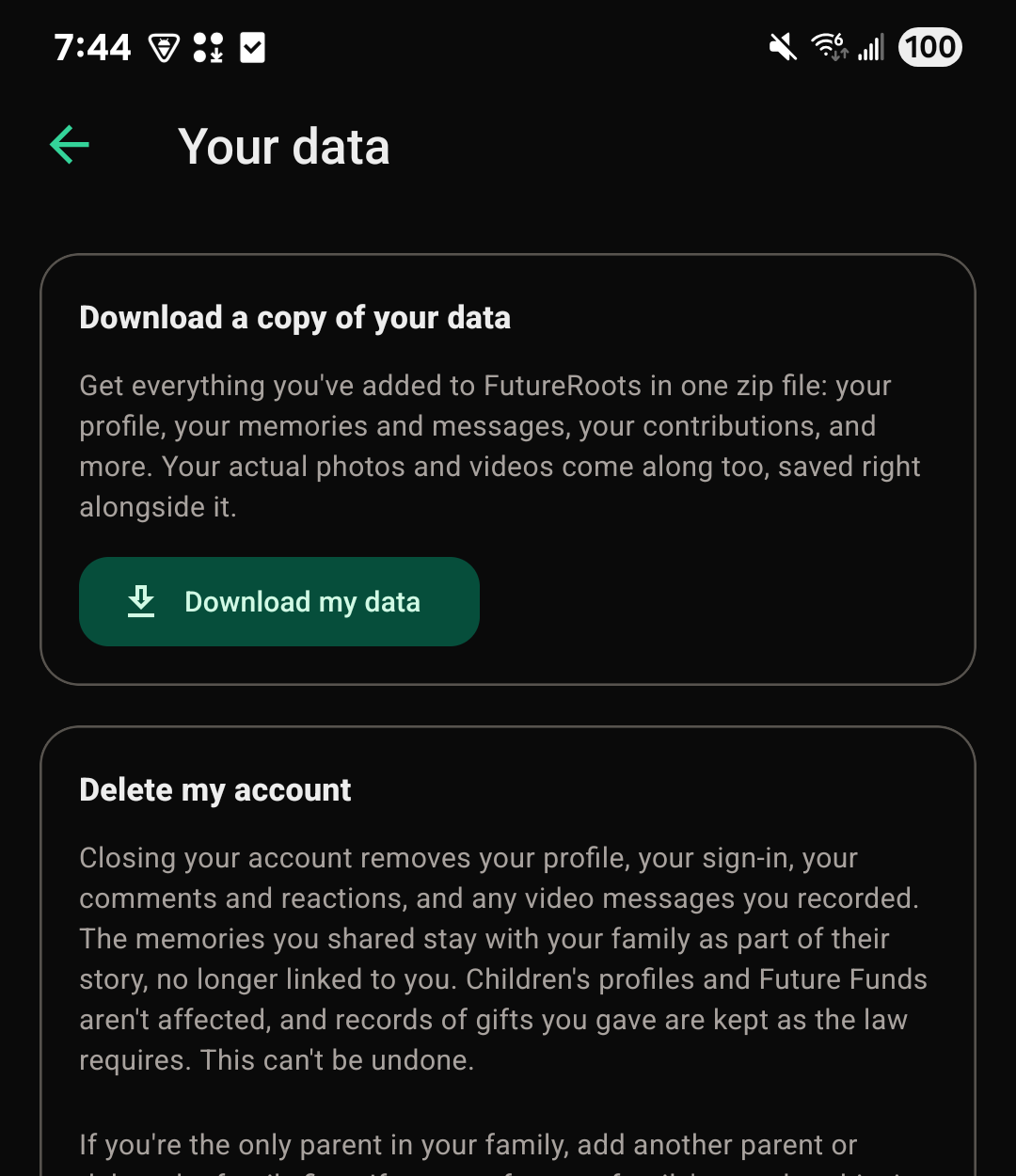
Deleting your account
- Go to Your data, the same place as above.
- Choose Delete my account.
- Read what will happen, enter your password, and check the box to confirm.
- Choose Permanently delete.
This can't be undone. Before you start, two things to know:
- If you're the only parent in a family that has children or other members, you'll need to invite another parent first, or delete the family.
- If you pay for your family's plan, it won't renew. It stays on for your family until the end of the period already paid for.
Just want to step away from one family?: You can leave a family and keep your account.
What happens to shared memories
Deleting your account deletes:
- Your profile, your sign-in, and your profile photo
- Your comments, reactions, and predictions, the notes you wrote with gifts, and any video messages you recorded with a gift
- Your notification settings, the memories you kept close, and invitations you sent
Memories, time capsules, archive entries, goals, and photos you shared stay as part of your family's story, no longer linked to your account. Copies made into another family stay there too. A sealed time capsule still opens on schedule.
Children's profiles aren't affected, and neither is any child's FutureRoots Fund. A gift you gave stays given, and the law requires us to keep records of payments, with your name and details removed. If you made a gift link, we keep the identity check the law requires for 5 years from when it was made, then delete it. It's encrypted and never shown to your family. Copies in our backups are gone within 7 days.
Reporting a problem
If something is wrong, or something in your family's space shouldn't be there:
- In the app, tap Menu, then Report a problem.
- On the website, use the Report an issue button in the corner of the page.
- Or write to us at support@futureroots.app.
We look at every one.