
Sealing a time capsule
Anyone in the family except a supporter can seal a time capsule.
- Open the child's vault.
- Choose Time capsules, then Seal a capsule.
- Write your letter. Add a photo, a voice note, or a video if you'd like.
- Choose when it should open.
- Seal it.
Once it's sealed, it can't be edited. You'll still see the first lines of your own letter on its card, so you know which one it is. Adding a video needs Premium. Every family has space to begin with time capsules, and Room to Grow makes space for more.
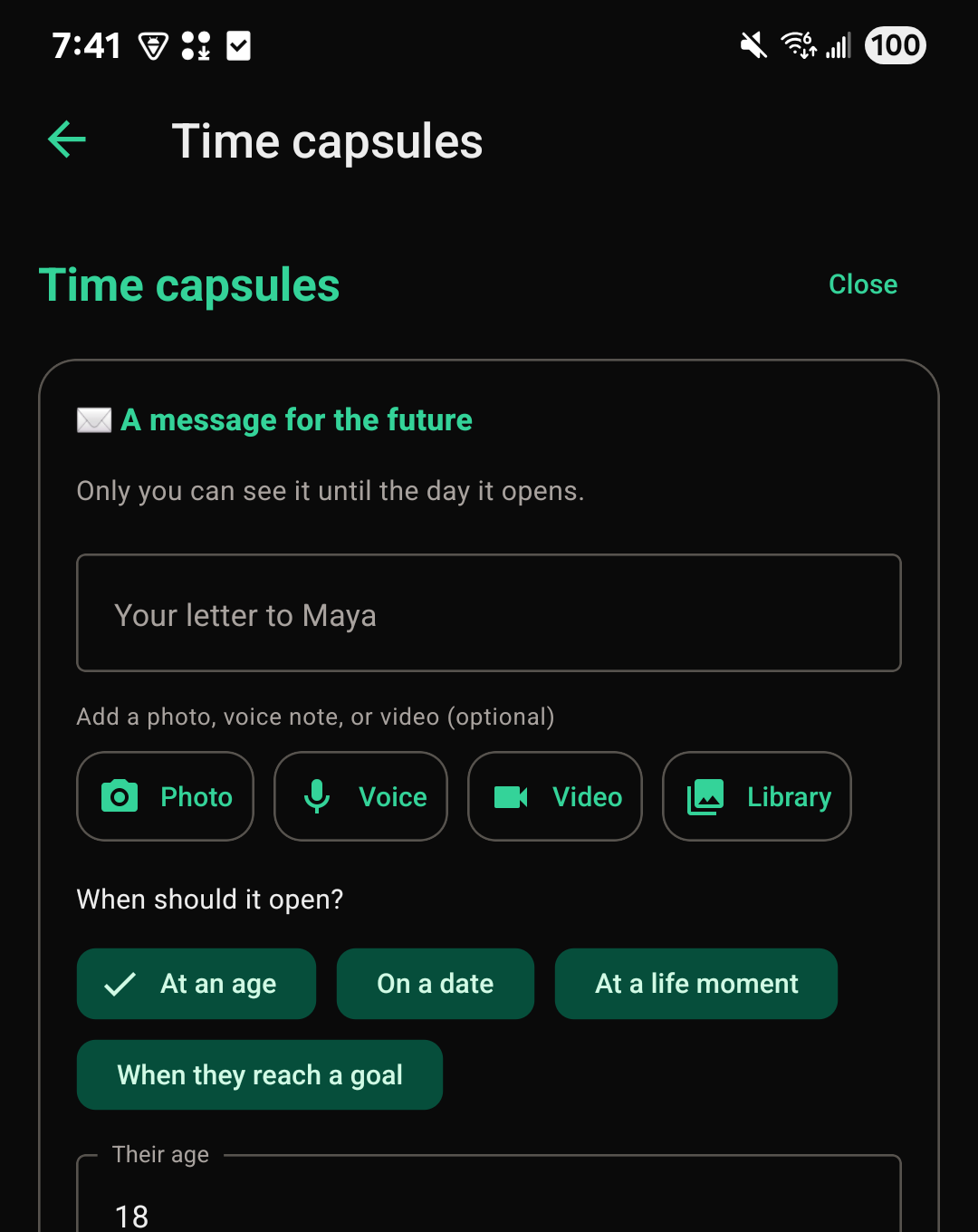
Choosing when it opens
A capsule can be set to open:
- At an age the child will turn (like 18)
- On a date you pick
- At a life moment, like a graduation or a wedding
- When they reach a goal you've set for them
Who can see a sealed capsule
Other family members can see that a capsule exists, who it's from, and when it opens, but not what's inside. Supporters don't see capsules at all.
When a capsule opens
A capsule set for an age or a date opens on its own. FutureRoots checks every day for capsules that are due and opens them, and the family is told. Nothing needs to be done to release it. A capsule set for a goal opens when the goal is marked done.
A life moment can't be known from a calendar, so a life-moment capsule opens in one of two ways:
- The person who sealed it chooses Open now on its card.
- Two people in the family, other than the person who sealed it, each choose I agree it's time to open this. It opens when the second one agrees.
Opening a capsule early
A capsule set for an age, a date, or a goal waits for its day, even for the child it was written for. Only a life-moment capsule can be opened by a person deciding, as described above.